Managing client projects in Obsidian
In Obsidian, a client project fits in a few linked notes: a client note, a project note, then one note per task, feedback round or invoice. Bases views pull those notes together so you can see where each project stands.
The note types in a client project
Take a typical job: a new website for Oak Street Bakery, two shops, plus a catering page to build. Over the project you will record a contact, a budget, a deadline, twenty-odd tasks, two or three feedback rounds, maybe one request that wasn’t in the quote, and two invoices. Each of those deserves its own note, because each has a status and a date that change. One note per item also means one row per item in your views, so you can sort, filter and add things up, which one long project note never allows.
Every note carries a type property that says what it is. These types cover a project from start to finish, with the properties worth having:
| Type | One note per… | Useful properties |
|---|---|---|
client | client or lead | status (lead, active, past), contact, email, follow_up |
project | project | client, stage, start, due, budget, revisions_included |
task | task | project, status, priority, due, hours |
brief | project | project, status, received |
feedback | feedback round | project, round, status, received |
change | out-of-scope request | project, status, hours, billable |
invoice | invoice | client, project, number, amount, status, due, paid_on |
handoff | end of project | project, status, date |
You don’t need all of them on day one. Start with client, project and task. Add a type the day you miss it: the first time a client asks for one more page, create change. For what goes in the brief, see the 11 questions to ask; for the end-of-project note, the client handoff checklist.
If you have a lot of calls with clients, a meeting type (with project and date) keeps your call notes in one place. Same idea for proposals sent before the contract is signed: a proposal type, linked to the client, with an amount and a status.
Folders or properties: which to use
A folder says where a note is stored. A property says what it is and where it stands. A note lives in one folder only, but it can have as many properties as you need. A task’s status changes several times a week: moving the file each time would be tedious, while changing a property takes one click.
The rule that holds up over time: a few folders that almost never move, and everything that changes in properties.
The folder tree to copy
My vault/
  Clients/
    Oak Street Bakery.md
  Projects/
    Oak Street Bakery website/
      Oak Street Bakery website.md   (project note)
      Brief Oak Street Bakery.md
      Homepage mockup.md              (task)
      Feedback round 1.md
      Catering page.md                (change)
      Handoff Oak Street Bakery.md
  Invoices/
    2026-014 Deposit 30%.md
    2026-021 Balance 70%.md
  Templates/
  Views/
    Projects.base
    Tasks.base
    Invoices.base
  Archive/
Name notes so search finds them: “Oak Street Bakery website” rather than “Website”. Avoid two notes with the same name, like “Brief” in every project, if you link to them often: ObsidianA free note-taking app for Windows, Mac, Linux, iPhone and Android. Your notes stay as Markdown files on your own computer. Brievora is a vault, a folder of notes and views that you open in Obsidian.obsidian.md then has to write the full path in the link. “Brief Oak Street Bakery” settles it.
One folder per project keeps everything in one place, and when the job ends you drag a single folder into Archive. Invoices stay apart because you look at them by month, across all clients.
Linking client, project and tasks
The link between two notes goes in a property, not only in the text. Each note points one level up: the task to its project, the project to its client. In properties, an internal link must be wrapped in quotes, as the Obsidian documentation on properties explains.
---
type: project
client: "[[Oak Street Bakery]]"
stage: In production
start: 2026-10-05
due: 2026-11-20
budget: 6400
revisions_included: 2
---

---
type: task
project: "[[Oak Street Bakery website]]"
status: Doing
priority: High
due: 2026-10-22
hours: 6
---
The project doesn’t list its tasks by hand. A view does it. In the project note, add a base code block filtered on project == this. When a base is embedded in a note, this refers to the note that contains it, so the same block, pasted into every project note, shows that project’s tasks.
```base
filters:
  and:
    - 'type == "task"'
    - 'project == this'
views:
  - type: table
    name: "Project tasks"
    order:
      - file.name
      - status
      - due
      - hours
    summaries:
      hours: Sum
```
The view’s New button adds a note with type and project already filled in, stored in the project folder. On the client note, the same idea with client == this lists their projects.
Open the bakery’s client note: the backlinks pane shows every note that mentions it, projects, invoices and call notes included. If the client changes its name, rename the note: Obsidian updates the internal links that pointed to it, unless you turned that setting off under Files and links.
One template per note type
To avoid retyping properties, create one note per type in Templates: an empty task, an empty project, an empty invoice, each with its properties in place. Turn on the Templates core plugin, point it to that folder in its settings, then insert the right template from the command palette.
The project template can hold the tasks base block, plus other blocks for feedback or invoices. Every new project note then arrives with its tracking tables, already filtered on itself. A template is copied at insertion: when you improve it, only new projects get the change, and existing project notes keep their old blocks.
The views you actually use every Monday
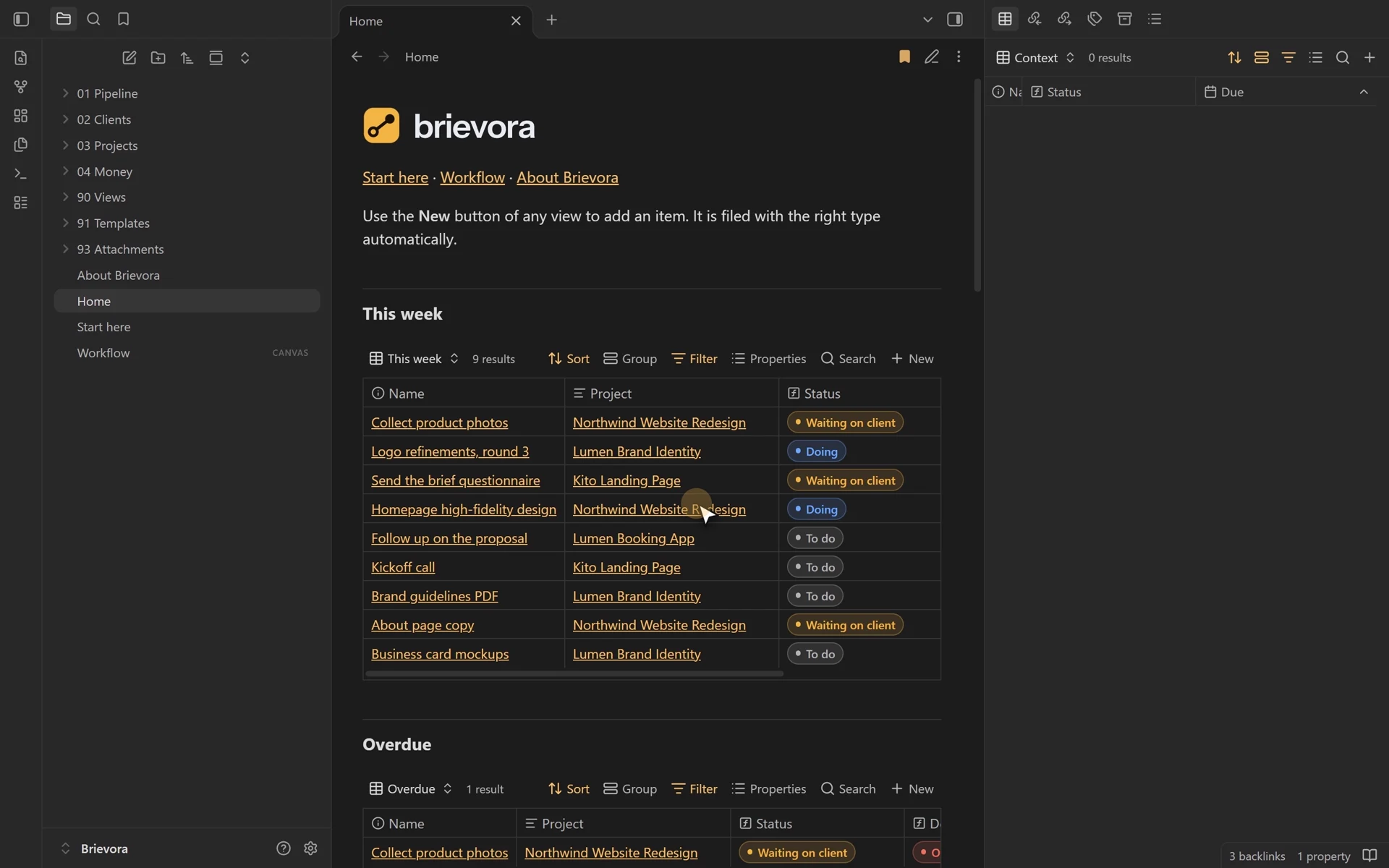
On Monday morning, four questions are enough to plan the week. Each one maps to a view:
- What’s due this week? Open tasks with a due date in the next seven days.
- What am I waiting on? Tasks with the status “Waiting on client”: those are today’s follow-ups.
- Where is each project? Projects grouped by stage, as a table or a Kanban board.
- Who owes me money? Invoices sent and not yet paid, sorted by due date.
Here is a Tasks.base file that answers the first two questions, with a Kanban board on top:
filters:
  and:
    - 'type == "task"'
    - '!file.inFolder("Templates")'
formulas:
  days_left: 'if(due, (date(due) - today()).days.round(0), "")'
properties:
  note.due:
    displayName: "Due"
  formula.days_left:
    displayName: "Days left"
views:
  - type: table
    name: "This week"
    filters:
      and:
        - 'status != "Done"'
        - 'due'
        - 'date(due) <= today() + "7d"'
    order:
      - file.name
      - project
      - due
      - formula.days_left
  - type: table
    name: "Waiting on client"
    filters: 'status == "Waiting on client"'
    order:
      - file.name
      - project
      - due
  - type: kanban
    name: "Board"
    groupBy:
      property: status
      direction: ASC
    groupOrder:
      - "To do"
      - "Doing"
      - "Waiting on client"
      - "Done"
    order:
      - file.name
      - project
      - due
The Kanban view needs Obsidian 1.14 or later. Dragging a card to another column changes the note’s status property. The same file with type == "project" and grouping on stage gives you the project board. Plan six stages: Brief, Proposal, In production, In review, Delivered, Closed. A project that sits in “In review” for three weeks stands out at once, and it often means a round of client feedback never arrived.
The Monday review, in order
- Open This week and pick the three tasks that matter most.
- Open Waiting on client and send the follow-ups: one sentence and the date you need an answer by.
- Scan the project board for the one that hasn’t moved since last week.
- Open To collect and chase the overdue invoices.
- Check the approved out-of-scope requests: if there are enough, prepare the invoice.
For filters, formulas and the other view types, the Obsidian Bases tutorial covers everything step by step.
Tracking out-of-scope hours and invoices
Halfway through, the bakery asks for a catering page with an order form. It wasn’t in the quote. Create a change note: what the client asks for, your estimate in hours, and whether you will bill it. Write the request in the client’s own words, with the date and the channel (email, call), so nobody argues about it later. A request you decline still gets a note, with the status Declined: at the next request, you will know what you already turned down.
---
type: change
project: "[[Oak Street Bakery website]]"
status: Approved
hours: 5
billable: true
requested: 2026-10-28
---
Catering page with an order form.
Extra quote sent on Oct 29, approved by email on Oct 30.
A view grouped by project, filtered on status == "Approved" and billable, with a sum on hours, gives you the lines of your next invoice. To decide how to answer the client before you get there, see the guide on scope creep.
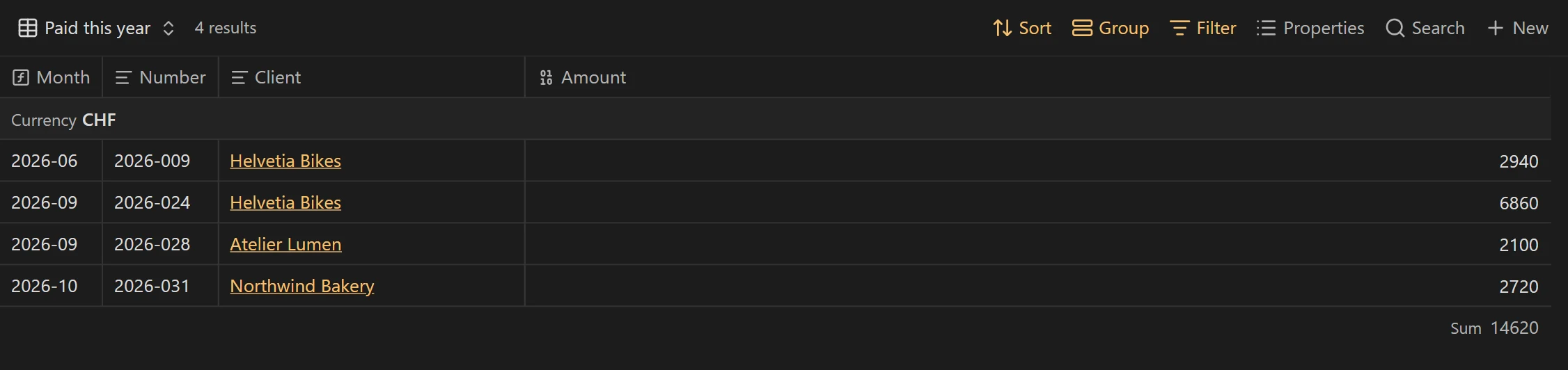
Invoices follow the same logic: one note per invoice, with status (draft, sent, paid), amount and due. A “To collect” view filtered on sent invoices, sorted by due date, with a sum on amount, shows what is still owed to you. Mark an invoice as paid the day the money arrives, with the date in paid_on: a year later, that column tells you which clients pay on time. A formula adds the number of days overdue:
filters:
  and:
    - 'type == "invoice"'
    - '!file.inFolder("Templates")'
formulas:
  overdue: 'if(status == "Sent" && due && date(due) < today(), (today() - date(due)).days.round(0), "")'
views:
  - type: table
    name: "To collect"
    filters: 'status == "Sent"'
    order:
      - file.name
      - client
      - amount
      - due
      - formula.overdue
    summaries:
amount: SumWhere Obsidian falls short for this work
This method works well for a freelancer or a small studio. It has blind spots worth knowing before you start:
- The client sees nothing. Your vault stays on your computer. Briefs, call notes and deliverables go out by email or as PDFs.
- No reminders. Obsidian won’t tell you an invoice is late. You have to open the view, which is why the Monday review matters.
- No timer. Hours are typed by hand into the
hoursproperty. Community plugins exist if you want to time yourself. - Working as a team needs syncing. A shared vault goes through Obsidian Sync, which is paid, or a synced folder. There are no per-folder permissions like in an online tool.
- Obsidian rewrites .base files. Once a base is open and you change a view, Obsidian saves the file its own way (quotes, key order). If you keep your views in Git, expect diffs with no real change.
If sharing with clients matters more than anything, compare with Notion in Obsidian vs Notion. If you would rather start from a structure that is already built, Brievora Lite gives you clients, projects and tasks with their views, for free.
Questions
Do I need plugins to manage projects in Obsidian?
No. Properties and Bases are built in, and the Kanban view has been part of Bases since Obsidian 1.14. Community plugins are still useful for specific needs, such as time tracking.
Can I keep my tasks as checkboxes in the project note?
Yes, for a short list. But Bases lists notes, not checkboxes: a checkbox task never shows up in a view and carries no due date or status you can filter on.
How do I archive a finished project?
Set its stage to Closed, then drag the project folder into Archive. Add !file.inFolder("Archive") to your view filters so it stops showing up.
Can a client note hold several contacts?
Yes. Write the names in the contact field, separated by commas. If you need each person’s email and role, give each person a note linked to the client note.
What about projects I track in another tool?
Bring over only the active ones: a client note, a project note and the open tasks. The history of finished projects can stay in the old tool.