Obsidian 1.14 Kanban view: five ready-to-copy boards for client work
Since Obsidian 1.14, public since October 5, 2026, a base can display as a Kanban board without any plugin: you choose the property that forms the columns (groupBy) and the order of those columns (groupOrder). For client work, five boards cover most needs: projects by stage, tasks by status, proposals by outcome, feedback by round and invoices by payment status.
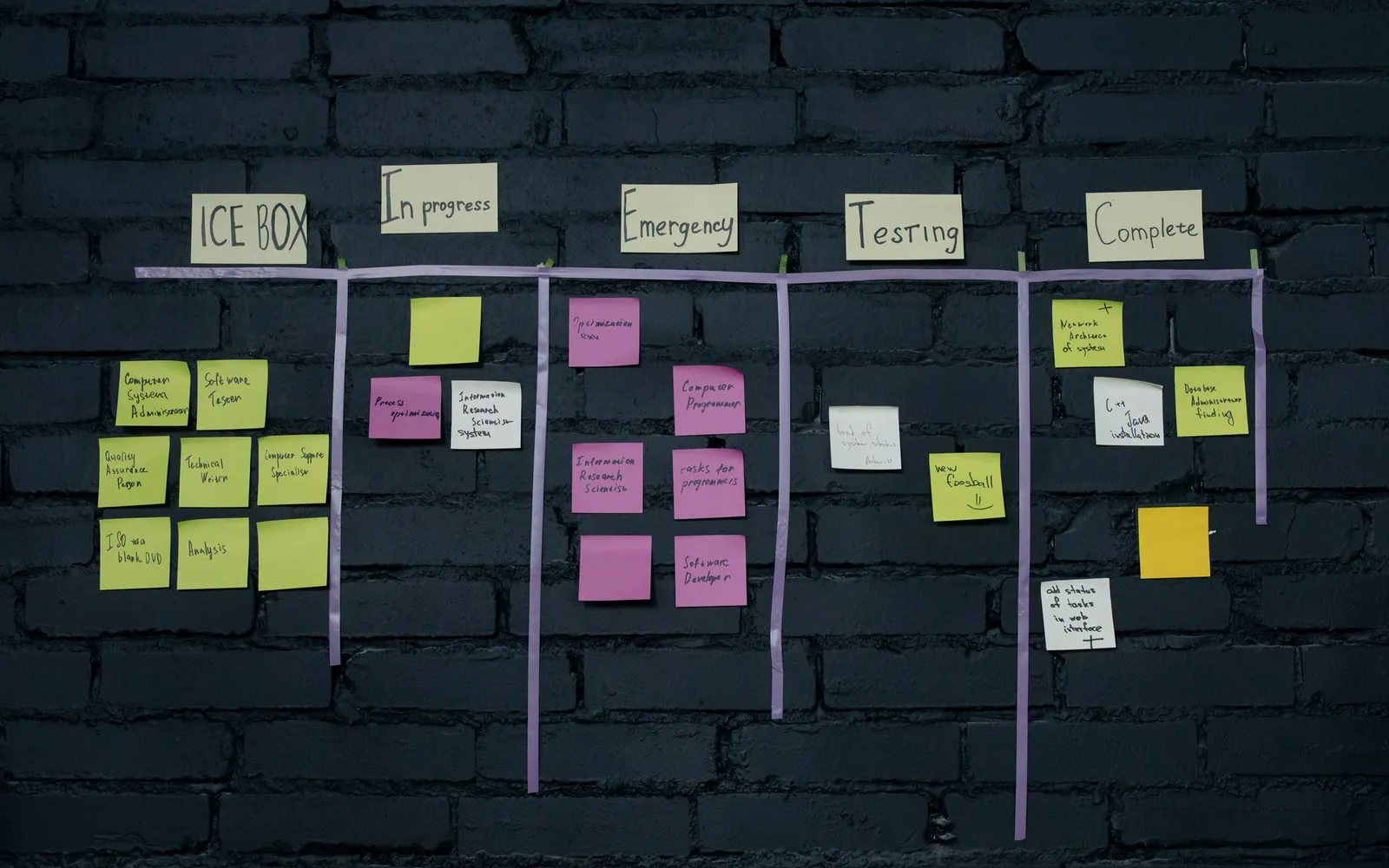
What can the Kanban view do, and what can’t it?
The Kanban view shows the notes of a base as cards in columns, one column per value of a property. Drag a card to another column and ObsidianEine kostenlose Notiz-App für Windows, Mac, Linux, iPhone und Android. Ihre Notizen bleiben Markdown-Dateien auf Ihrem eigenen Computer. Brievora ist ein Vault, ein Ordner mit Notizen und Ansichten, den Sie in Obsidian öffnen.obsidian.md rewrites that property in the note. The official Kanban view page lists the rest:
- The plus icon in a column heading creates a note that already carries the column’s value.
- You can drag column headings to reorder them, or hide a column from the Group menu.
- The Properties menu picks what each card shows. The first property becomes the card title.
- An optional cover image sits at the top of each card, read from a property.
Three limits matter for client work. Cards follow the sort of the view, so you can’t drag a card higher inside its column. If you group by a formula, or by a file property other than file.folder, you can’t move cards or create notes from the columns at all. And each card is a whole note: checkboxes written inside a note never show up as cards.
If BasesDie in Obsidian eingebaute Datenbankfunktion: Tabellen, Karten und Kanban-Boards aus den Eigenschaften Ihrer Notizen. Kein Plugin nötig.help.obsidian.md is new to you, start with our Obsidian Bases tutorial. If your boards still live in the community Kanban plugin, the guide on moving from the Kanban plugin to Bases covers the migration, and the free Kanban to Bases plugin converts a board in one click.
Which YAML keys does a Kanban view use?
A Kanban view is one entry under views in a .base file, with type: kanban and a groupBy. The other keys are optional:
| Key | What it does | Example |
|---|---|---|
type | Picks the Kanban layout | type: kanban |
groupBy | The property whose values become columns | property: stage |
groupOrder | The columns to show, in order. Obsidian writes it when you set the Group menu to Manual | A list: Brief, Proposal… |
columnWidth | Width of columns and cards, in pixels | columnWidth: 250 |
image | Property used as the card cover | image: cover |
order | Properties shown on each card, title first | file.name, client |
sort | Order of the cards inside each column | By due, ascending |
To use a block below, create a file such as Projects.base in your vault with any text editor, paste the block, save, then open the file in Obsidian. Do it while the file is closed in Obsidian: Obsidian rewrites a .base file that is open in a tab, and can overwrite your paste.
Boards 1 and 2: projects by stage, tasks by status
The projects board answers one question each morning: where does every project stand? Each project note needs type: project, a client, a stage and a due date.
filters:
  and:
    - 'type == "project"'
formulas:
  days_left: 'if(due, (date(due) - today()).days.round(0), "")'
properties:
  formula.days_left:
    displayName: Days left
views:
  - type: kanban
    name: By stage
    filters: 'stage != "Closed"'
    groupBy:
      property: stage
      direction: ASC
    groupOrder:
      - Brief
      - Proposal
      - In production
      - In review
      - Delivered
    columnWidth: 250
    order:
      - file.name
      - client
      - due
      - formula.days_left
    sort:
      - property: due
        direction: ASC
The card shows the client, the due date and the days left, negative once the deadline has passed. Keep the .round(0): subtracting two dates across a daylight saving change can give 25.04 days instead of 25. Closed projects are filtered out, so the Delivered column only holds work you still need to invoice or hand off.
The tasks board uses four statuses. Done tasks stay visible for 14 days after their last edit, then drop off, so the last column never grows into a list of 200 cards.
filters:
  and:
    - 'type == "task"'
views:
  - type: kanban
    name: By status
    filters:
      or:
        - 'status != "Done"'
        - 'file.mtime > now() - "14d"'
    groupBy:
      property: status
      direction: ASC
    groupOrder:
      - To do
      - Doing
      - Waiting on client
      - Done
    columnWidth: 260
    order:
      - file.name
      - project
      - due
      - priority
    sort:
      - property: due
        direction: ASC
The Waiting on client column is the one to read before a client call: photos, copy or a sign-off you are still missing. A done task you edit again comes back for 14 days, because file.mtime changes with every edit.
Boards 3 to 5: proposals, feedback rounds and invoices
The proposals board follows each quote from draft to answer. The days_waiting formula counts the days since a sent proposal left your outbox, which tells you when to follow up.
filters:
  and:
    - 'type == "proposal"'
formulas:
  days_waiting: 'if(sent && status == "Sent", (today() - date(sent)).days.round(0), "")'
properties:
  formula.days_waiting:
    displayName: Days waiting
views:
  - type: kanban
    name: Pipeline
    filters:
      or:
        - 'status == "Draft" || status == "Sent"'
        - 'file.mtime > now() - "60d"'
    groupBy:
      property: status
      direction: ASC
    groupOrder:
      - Draft
      - Sent
      - Accepted
      - Declined
    columnWidth: 250
    order:
      - file.name
      - client
      - amount
      - formula.days_waiting
    sort:
      - property: sent
        direction: ASC
The feedback board groups open feedback notes by round number, across all projects. It has no groupOrder on purpose: in automatic order, a note with round: 4 gets its own column the day you create it. If your quotes include two rounds, any card in column 3 or beyond belongs to a project that has used up its included rounds. The guide on how many revision rounds to include in a quote explains what to do next.
filters:
  and:
    - 'type == "feedback"'
views:
  - type: kanban
    name: By round
    filters: 'status == "Open"'
    groupBy:
      property: round
      direction: ASC
    columnWidth: 240
    order:
      - file.name
      - project
      - received
    sort:
      - property: received
        direction: ASC
Read this board, don’t drag on it: moving a card changes its round number.
The invoices board has three columns: Draft, Sent and Paid. Paid invoices stay for 30 days after payment.
filters:
  and:
    - 'type == "invoice"'
formulas:
  days_late: 'if(status == "Sent" && due && date(due) < today(), (today() - date(due)).days.round(0), "")'
properties:
  formula.days_late:
    displayName: Days late
views:
  - type: kanban
    name: By payment
    filters:
      or:
        - 'status != "Paid"'
        - 'paid_on && date(paid_on) > today() - "30d"'
    groupBy:
      property: status
      direction: ASC
    groupOrder:
      - Draft
      - Sent
      - Paid
    columnWidth: 250
    order:
      - file.name
      - client
      - amount
      - due
      - formula.days_late
    sort:
      - property: due
        direction: ASC
An Overdue column would be tempting, but it would have to come from a formula, and a board grouped by a formula can’t move cards. Late invoices stay in Sent, at the top since the sort is by due date, with the number of days late on the card.
Why do some cards disappear from a Kanban board?
With a groupOrder list, any value missing from the list is hidden, and its cards with it. Notes with no value at all are hidden too. On our test vault, a project set to “On hold” and a project with no stage vanished from the projects board, and the counter above the board said 3 results instead of 5. No warning appears.
- List every value your notes can take in
groupOrder, including the ones you filter out elsewhere. - Give every note a value from its template, so a new note never starts empty.
- Watch for spelling: “In Review” and “In review” are two different values, and only one of them has a column.
- When a card is missing, open the Group menu. Hidden values are listed there unchecked, each with its number of notes, and notes without a value appear as None. Check a value to give it a column.
The trap also works in your favor. Leaving “Closed” out of the list is a quick way to hide finished projects, as long as you know you did it.
Fragen
Do I still need the Kanban community plugin?
No. The Kanban view is part of Bases, which is built into Obsidian 1.14 and later. Boards made with the old plugin can be converted with our free Kanban to Bases plugin.
Does the Kanban view work on a phone?
Yes, it is part of Obsidian itself. On phones, the grouping setting sits under Display, then Group.
Can I put a card at the top of its column by hand?
No. Cards follow the sort of the view. Add a priority or a number property and sort on it to control the order.